
How to Use Get-CalendarProcessing in Powershell

In modern enterprise environments, Microsoft Exchange plays a crucial role in managing communication and scheduling. Within Exchange, resource mailboxes are essential for handling meeting rooms and equipment reservations effectively. Resource mailboxes automate the booking process, ensuring that meeting requests are seamlessly processed according to organizational policies.
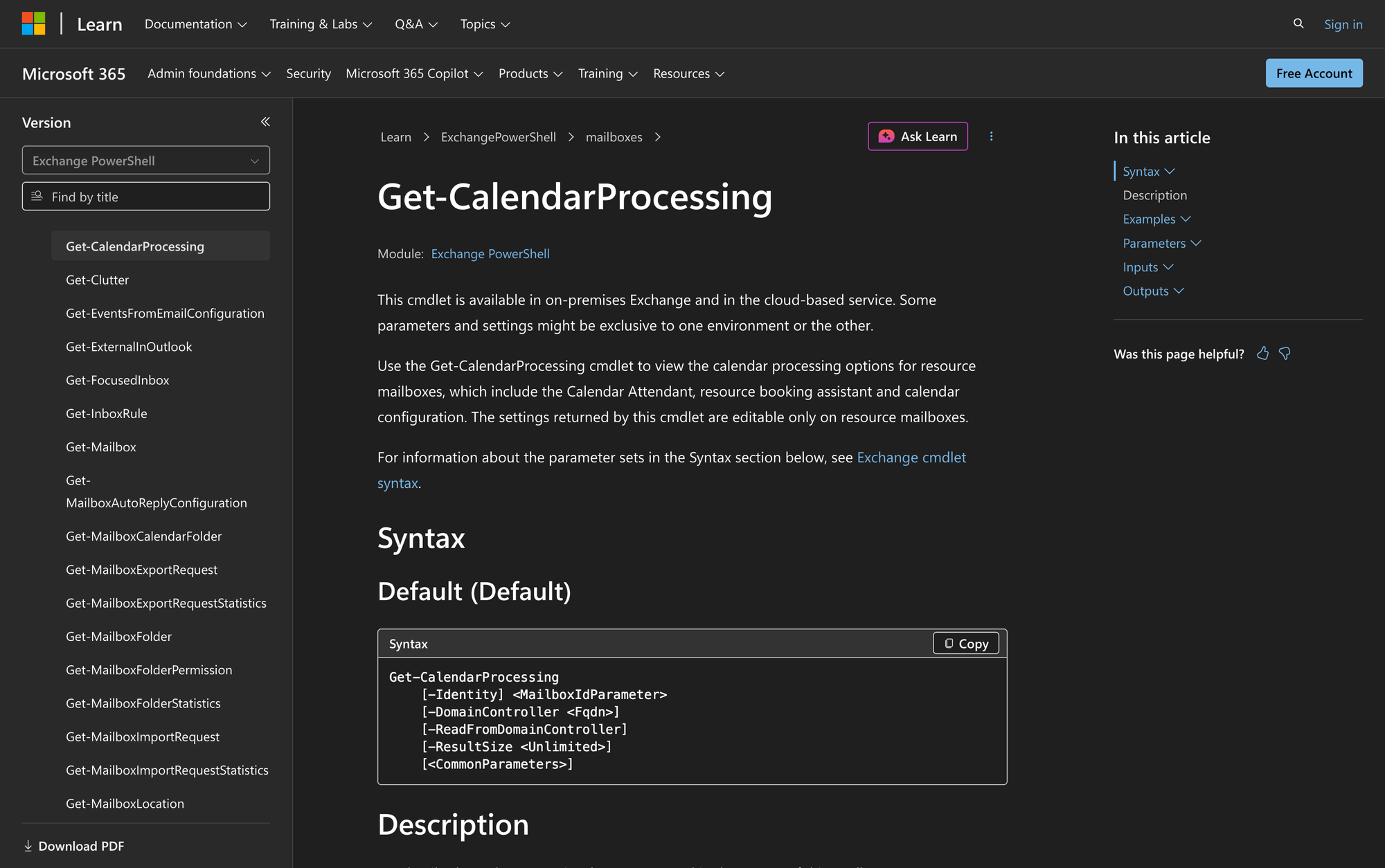
One of the key tools for managing these resource mailboxes is the Get-CalendarProcessing cmdlet. This cmdlet allows administrators to view and verify the calendar processing settings for resource mailboxes.
Whether you’re working with Exchange Server on-premises or leveraging Exchange Online, understanding the functionality and usage of this cmdlet is vital for efficient resource mailbox management.
What is the Get-CalendarProcessing Cmdlet?
The Get-CalendarProcessing cmdlet is a part of the Exchange PowerShell module, designed to display the calendar processing configuration for resource mailboxes. These configurations include settings managed by the Calendar Attendant and the resource booking assistant, which automate the acceptance or rejection of meeting requests.
This cmdlet is essential for administrators who need to audit or adjust calendar processing settings to ensure that meeting rooms and resources adhere to organizational policies.
If you need to modify these settings instead of only viewing them, see our guide on How to Use Set-CalendarProcessing in PowerShell.
Syntax
Here's official syntax as per Microsoft source:
Get-CalendarProcessing
[-Identity] <MailboxIdParameter>
[-DomainController <Fqdn>]
[-ReadFromDomainController]
[-ResultSize <Unlimited>]
[<CommonParameters>]
Parameters
- Identity: Specifies the resource mailbox to view. You can use any value that uniquely identifies the mailbox, including name, alias, distinguished name (DN), canonical DN, domain\username, email address, GUID, LegacyExchangeDN, SamAccountName, or user principal name (UPN).
- DomainController: Specifies the FQDN of the domain controller to read data from Active Directory. This parameter is exclusive to on-premises Exchange.
- ReadFromDomainController: Available only in on-premises Exchange. This switch reads information from a domain controller in the user's domain. It can be useful when using Set-AdServerSettings -ViewEntireForest $true, because otherwise Exchange might use a global catalog that contains outdated information.
- ResultSize: Specifies the maximum number of results to return. If you want to return all requests that match the query, use unlimited for the value of this parameter.
- CommonParameters: Supports standard PowerShell parameters for debugging and error handling.
Practical Uses
1. Auditing Resource Mailbox Settings
Administrators often need to audit calendar processing settings to ensure compliance with organizational policies. Using Get-CalendarProcessing, they can quickly retrieve and review settings for any resource mailbox, ensuring that configurations like automatic booking and delegate approvals are correctly set up.
2. Troubleshooting Meeting Request Issues
When users face issues with resource mailboxes, such as meeting requests being declined, routed for approval, or not processed as expected, the Get-CalendarProcessing cmdlet helps administrators inspect the current booking configuration.
Settings such as AutomateProcessing, AllowConflicts, BookInPolicy, RequestInPolicy, RequestOutOfPolicy, ResourceDelegates, and ForwardRequestsToDelegates can help explain why a room accepts, rejects, or forwards meeting requests.
3. Preparing for System Upgrades
Before upgrading Exchange Server or migrating resource mailboxes, administrators can use this cmdlet to document existing calendar processing settings. The exported settings provide a reference point for comparing room mailbox behavior before and after the change.
Prerequisites
Before using the Get-CalendarProcessing cmdlet, ensure the following:
- You have the necessary permissions assigned in Exchange to run this cmdlet.
- The cmdlet is available in your Exchange environment, whether on-premises or Exchange Online.
- You are connected to the Exchange Management Shell or Exchange Online PowerShell.
How to Use Get-CalendarProcessing: 6 Practical Uses
The Get-CalendarProcessing cmdlet is mainly useful for inspecting room and equipment mailbox booking settings. Below are practical examples that show how to review individual mailboxes, bulk-check resource mailboxes, inspect delegate-related settings, and export configuration data.
1. Viewing Calendar Processing Settings for a Specific Room Mailbox
Command:
Get-CalendarProcessing -Identity "Room 101"
This command retrieves the calendar processing settings for the resource mailbox identified as "Room 101". Use it to check whether the mailbox uses automatic processing, whether conflicts are allowed, who can book in policy, who requires approval, and which delegates are assigned to approve requests.
2. Checking All Resource Mailboxes in the Current Recipient Scope
Command:
Get-CalendarProcessing -ResultSize Unlimited
When you omit the Identity parameter, the cmdlet returns resource mailboxes in the current recipient scope. The ResultSize Unlimited value prevents the output from being limited by the default result size. This is useful for bulk reviews of room and equipment mailbox calendar processing settings.
3. Using a Specific Domain Controller for Data Retrieval
Command:
Get-CalendarProcessing -Identity "Room 202" -DomainController dc01.contoso.com
This command specifies a particular domain controller for retrieving calendar processing settings. The DomainController parameter is available only in on-premises Exchange. Administrators might use it when they need to read from a specific domain controller while checking resource mailbox configuration.
4. Diagnosing Delegate Notification Issues
Command:
Get-CalendarProcessing -Identity "Room 303" | Format-List
By viewing detailed settings with Format-List, administrators can inspect delegate-related configuration such as ResourceDelegates, ForwardRequestsToDelegates, RequestInPolicy, and RequestOutOfPolicy. These values help explain whether meeting requests should be automatically accepted or forwarded to delegates for approval.
5. Reviewing Booking Policy and Delegate Settings
Command:
Get-CalendarProcessing -Identity "Room 505" | Format-List BookInPolicy,RequestInPolicy,RequestOutOfPolicy,AllBookInPolicy,AllRequestInPolicy,AllRequestOutOfPolicy,ResourceDelegates,ForwardRequestsToDelegates
This command focuses the output on booking policy and delegate-related settings. Use it to see whether all users can book the room, whether specific users are allowed to book automatically, whether some requests require delegate approval, and which delegates are configured to approve or reject requests.
6. Exporting Calendar Processing Settings
Command:
Get-CalendarProcessing -ResultSize Unlimited | Export-Csv -Path "C:\ResourceMailboxSettings.csv"
Exporting the settings to a CSV file gives administrators a point-in-time record of resource mailbox calendar processing configuration. This is useful for internal audits, migration planning, troubleshooting comparisons, or documenting room mailbox booking policies.
Final Note
The Get-CalendarProcessing cmdlet is an essential tool for Exchange administrators managing resource mailboxes. By effectively utilizing this cmdlet, you can ensure that meeting rooms and resources are configured correctly, supporting seamless scheduling and reducing administrative overhead.
Whether dealing with troubleshooting tasks or preparing for migrations, mastering this cmdlet enhances your ability to manage calendar processing in Exchange environments efficiently.
Frequently Asked Questions
1. Does Get-CalendarProcessing change room mailbox settings?
No. Get-CalendarProcessing only displays the current calendar processing settings for resource mailboxes. To change these settings, use Set-CalendarProcessing.
2. Can I use Get-CalendarProcessing on regular user mailboxes?
No. Get-CalendarProcessing is used for resource mailboxes, such as room mailboxes and equipment mailboxes. If you need to inspect calendar settings for a regular user mailbox, this cmdlet is not the right tool.
3. Why does Get-CalendarProcessing return more than one mailbox?
If you run Get-CalendarProcessing without the Identity parameter, Exchange returns resource mailboxes in the current recipient scope. Use -Identity when you want to check one specific room or equipment mailbox.